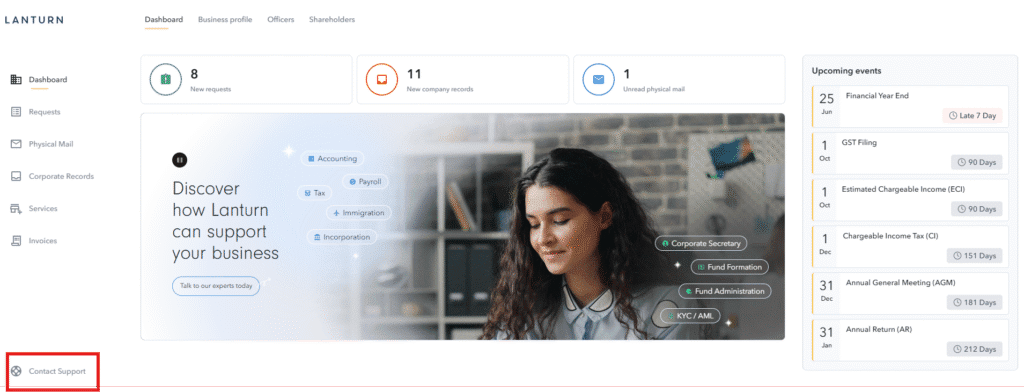
You can submit requests in three ways: (1) Submit tickets directly via the “Requests” tab on the platform, (2) Email us at any of our department-specific email addresses, and our team will assist you or create the ticket on your behalf. (3) Use the “Contact Support” button available on the platform
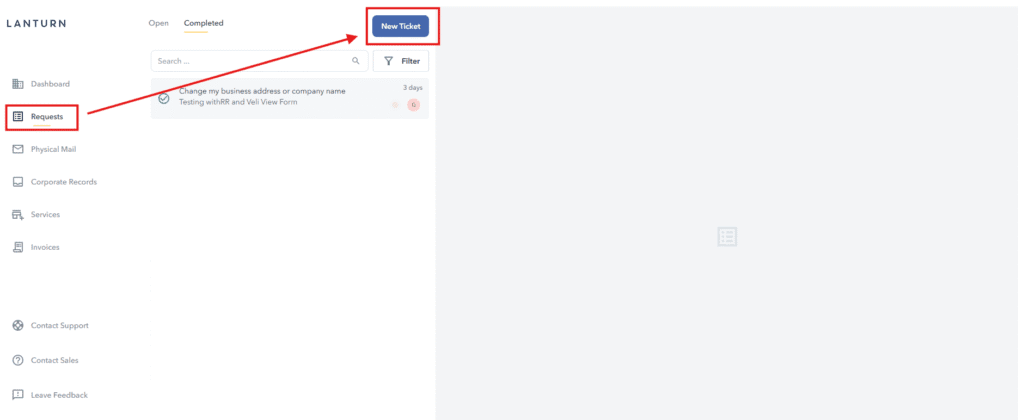
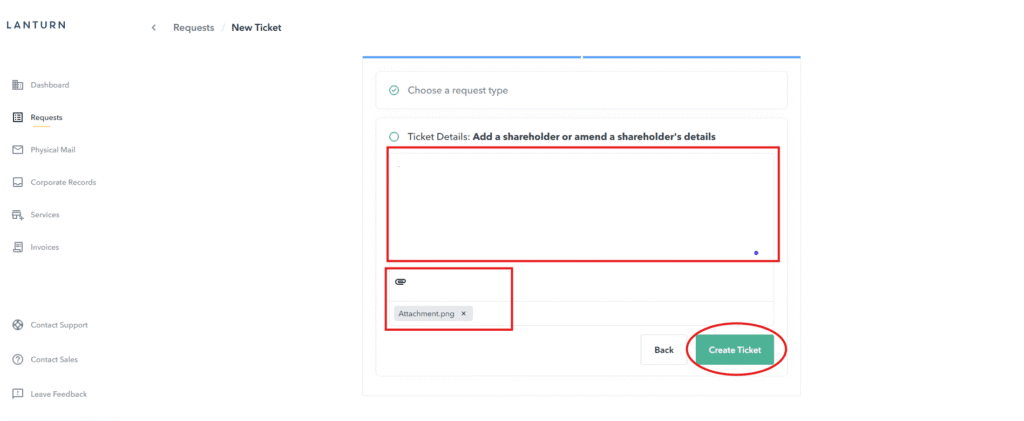
You can submit tickets by navigating to the “Requests” tab and clicking on “New Ticket.”
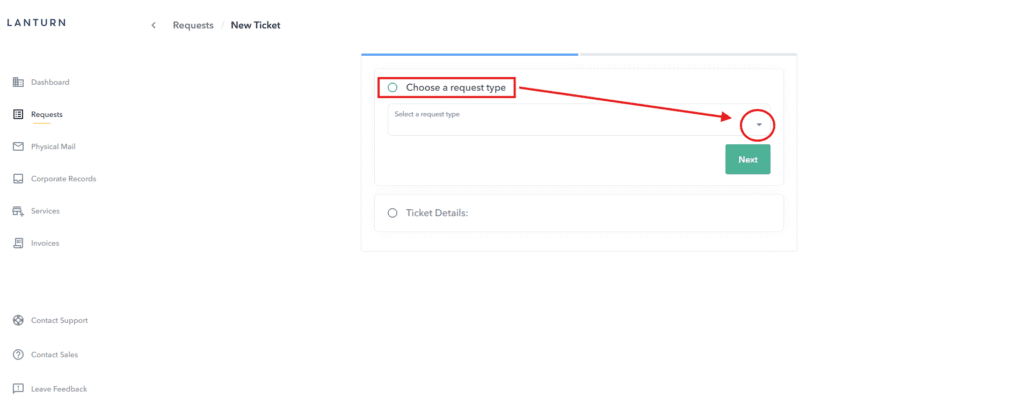
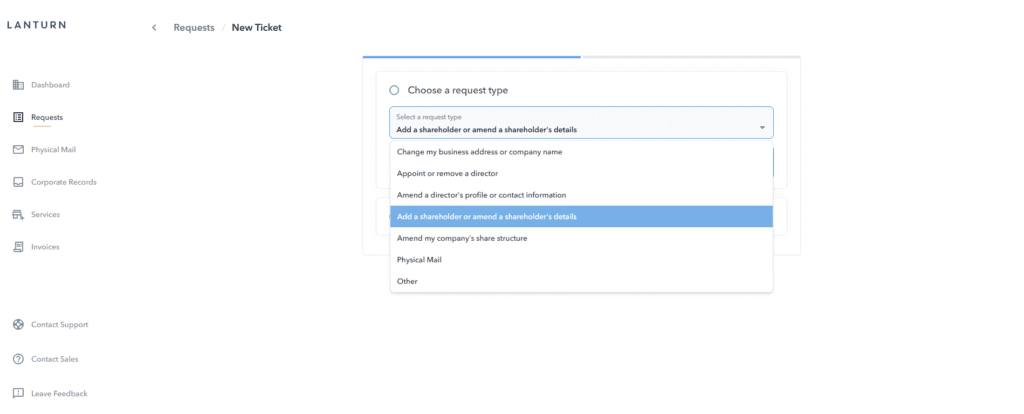
Choose Request Type
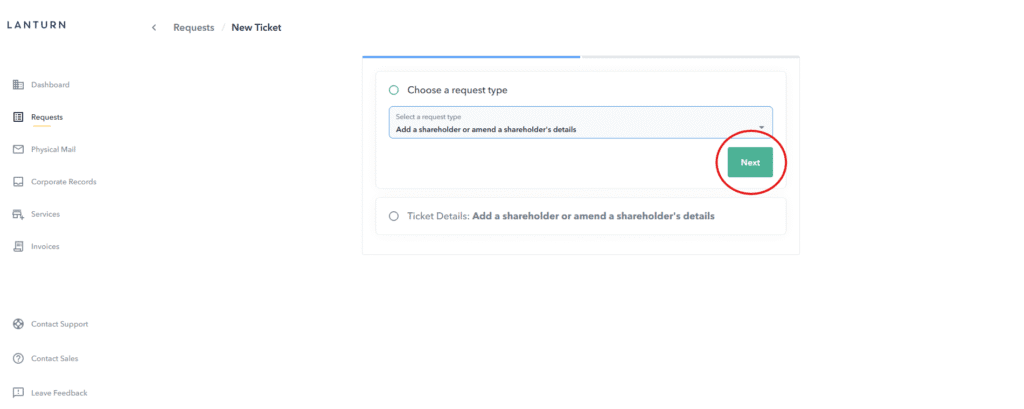
Click next
Add your message and attachments if needed, then click Create Ticket