


Home » SG » Corporate Services » Entity Management » Knowledge Hub Entity Management Platform » How can I access documents and records
How can I access documents and records?
Use the “Physical Mail” and “Corporate Records” tabs to view and download scanned mail and company documents. You can also access invoices and payment history via the “Invoices” tab.
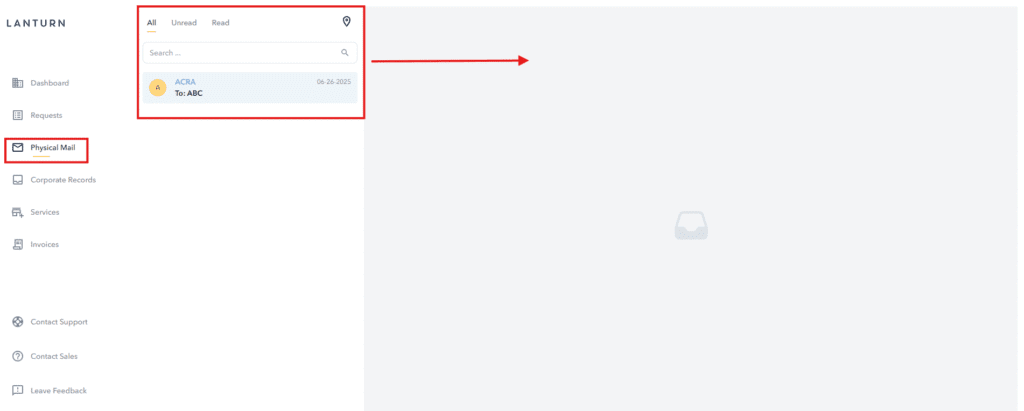
To view physical mail:
- Click the “Physical Mail” tab.
- Click the desired mail item from the list.
- The mail content will display on the right side of the page.
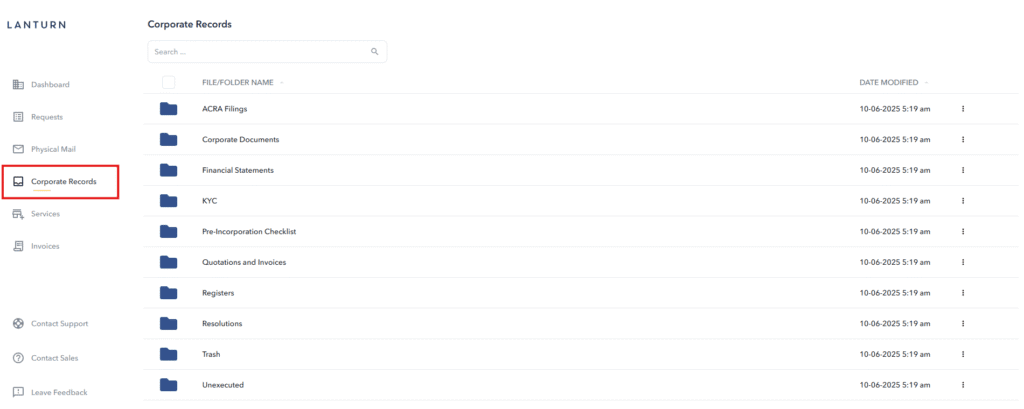
To access and download company documents:
- Click on the “Corporate Records” tab.
- Search for the desired document using the search bar or select it from the list.
- The document content will be displayed and available for download.