


Home » SG » Corporate Services » Entity Management » Knowledge Hub Entity Management Platform » How do I manage users if I’m an admin
How do I manage users if I'm an admin?
Admins can manage user access via the “Users” tab – including adding or removing users
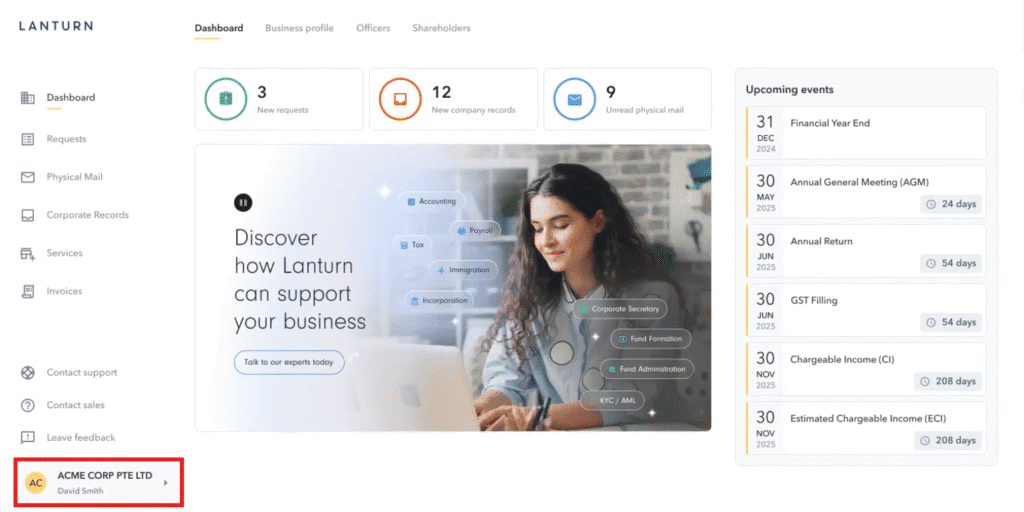
To navigate to your company’s details, click on the company name located in the lower left section of the screen.
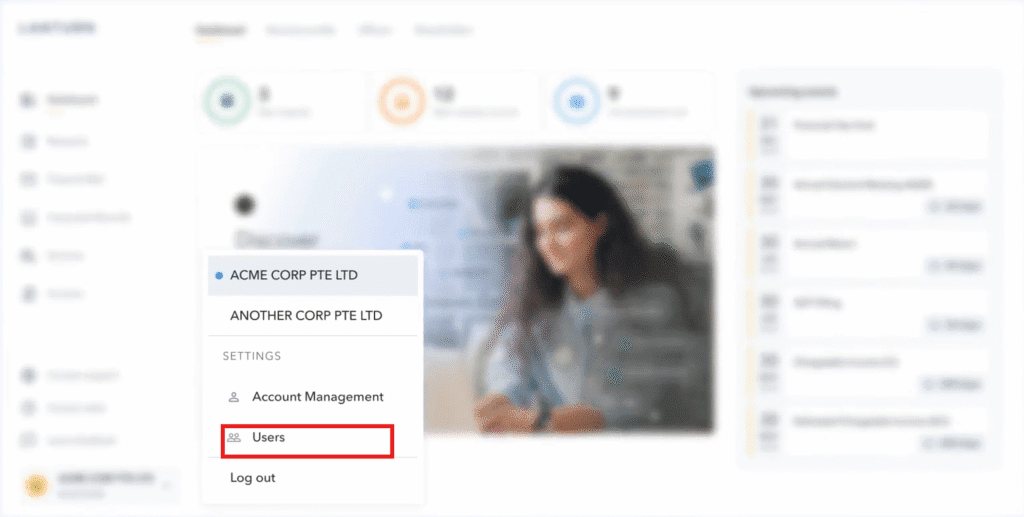
Click “Users”
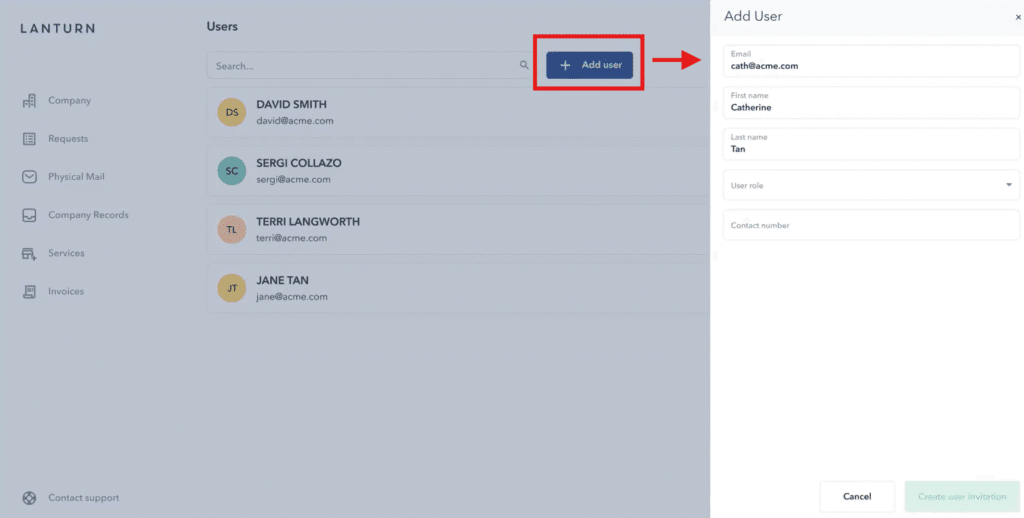
Click “Add User” and fill in the required information.
To add a new user:
- Navigate to your company’s details by clicking on the company name in the lower left section of the screen.
- Click on “Users.”
- Click “Add User” and fill in the required information.